



A password or PIN is required to log in to your library account through the Bedford Public Library's online catalog, as well as to Libby and CloudLibrary. If you don't know your password or PIN (or never set one up) you can easily update this information online at discover.BedfordNHLibrary.org, as long as there is an email address associated with your library card account and you are able to access your email inbox.
Follow the step-by-step instructions below to learn how.
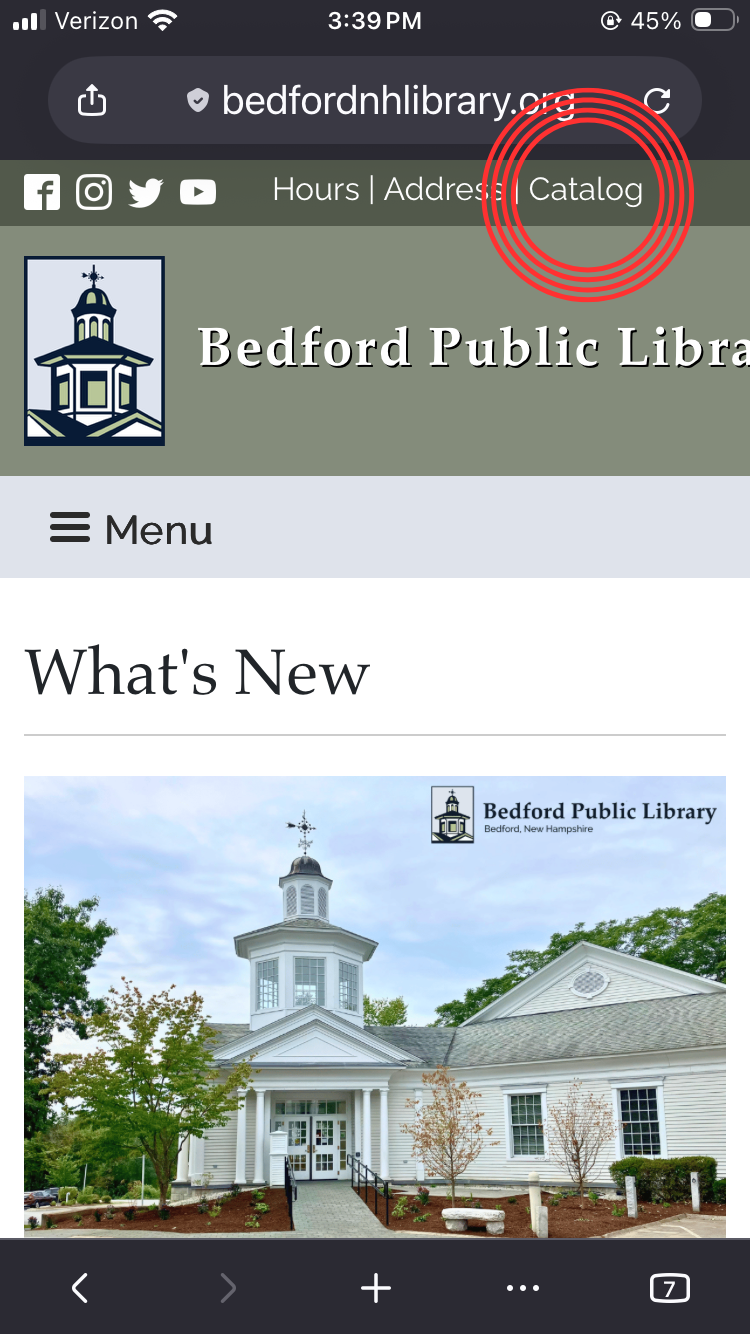
Visit BedfordNHLibrary.org and tap or click "Catalog." (You can also go directly to the online catalog at discover.BedfordNHLibrary.org.)
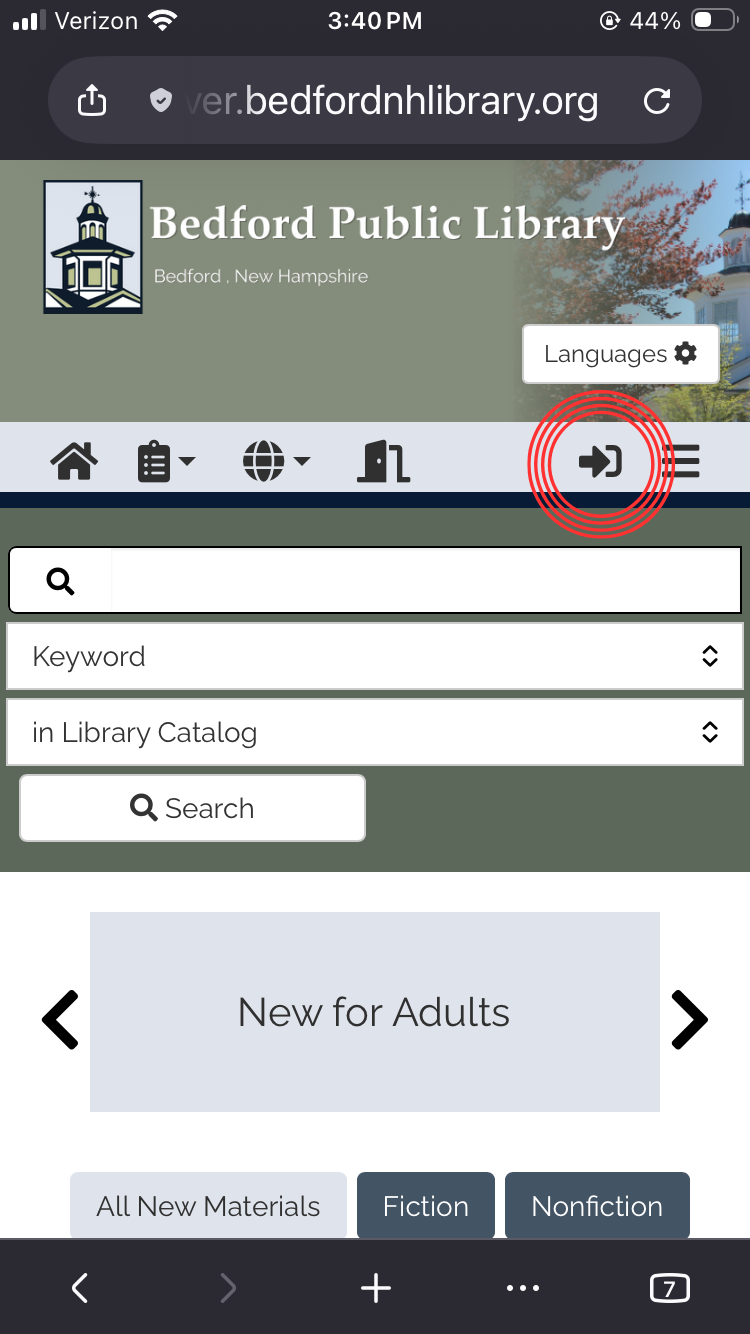
Tap on the rightward pointing arrow icon to bring up the account login.
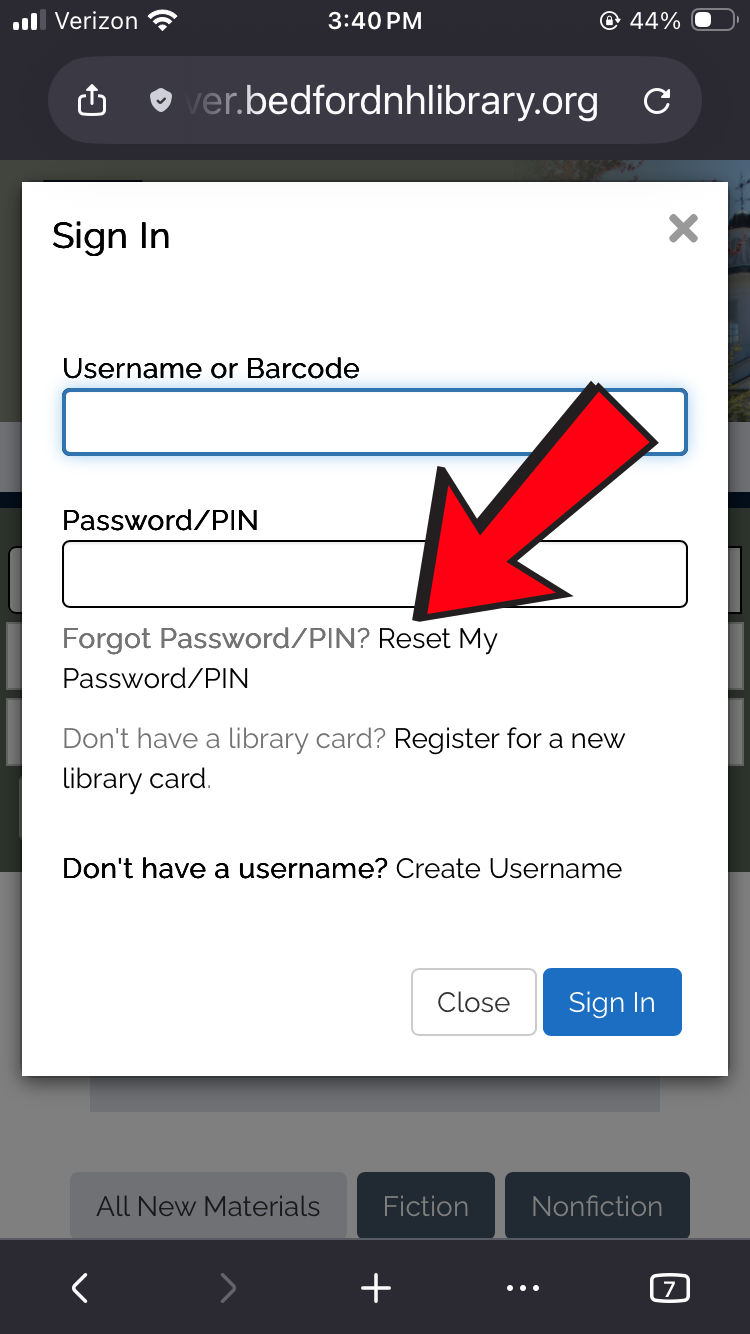
When the "Sign In" pop-up appears, tap or click "Reset My Password/PIN."
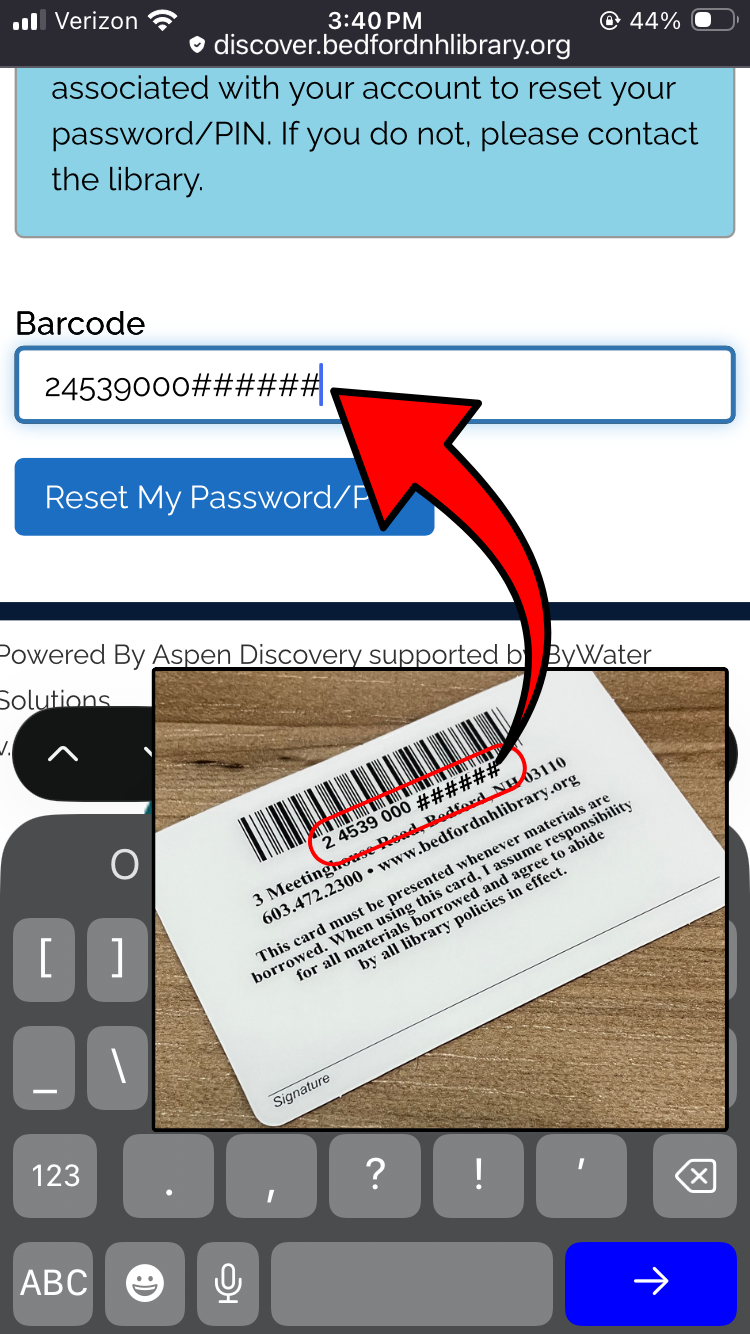
Enter the full 14-digit barcode off of the back of your library card, without any spaces. The select the blue "Reset My Password/PIN" button.
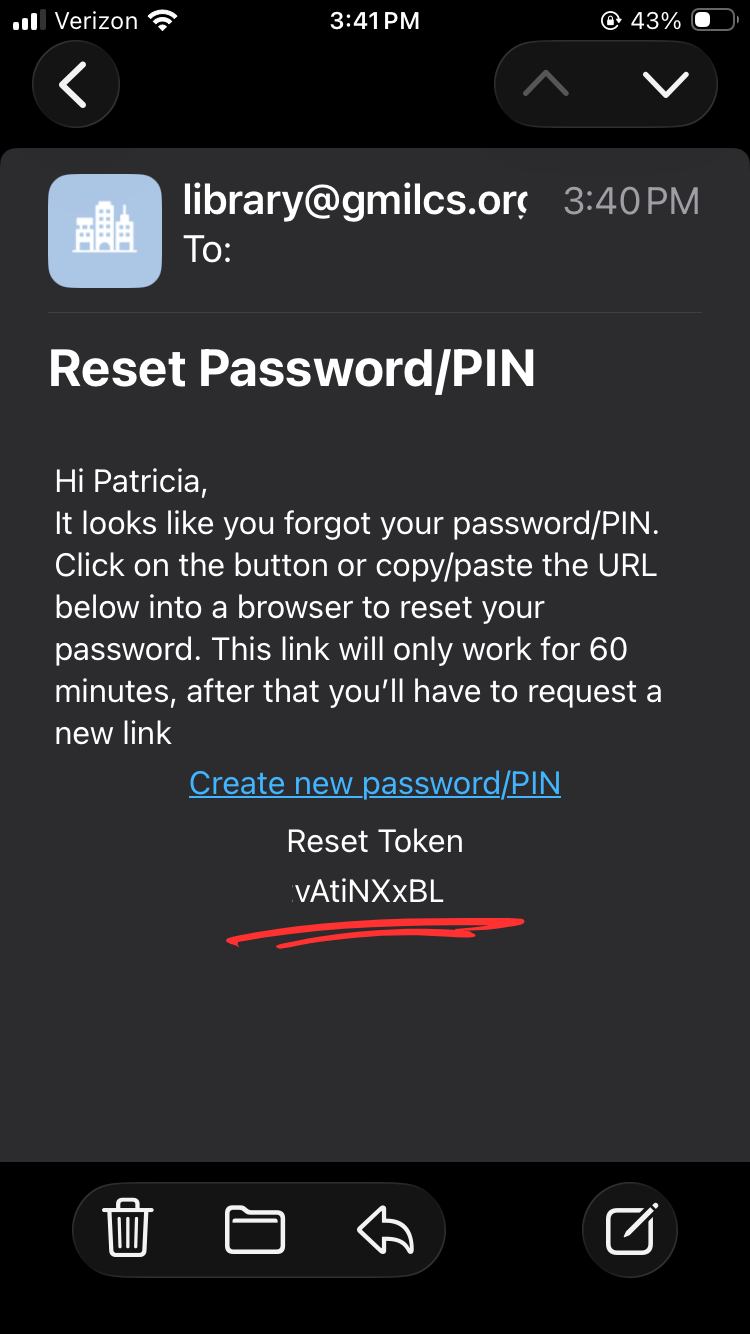
Go to your email inbox. You should receive an email from library@gmilcs.org. Either use the provided link or copy the Reset Token to reset your password or PIN. Each reset token will be unique and you will have 60 minutes to enter it.
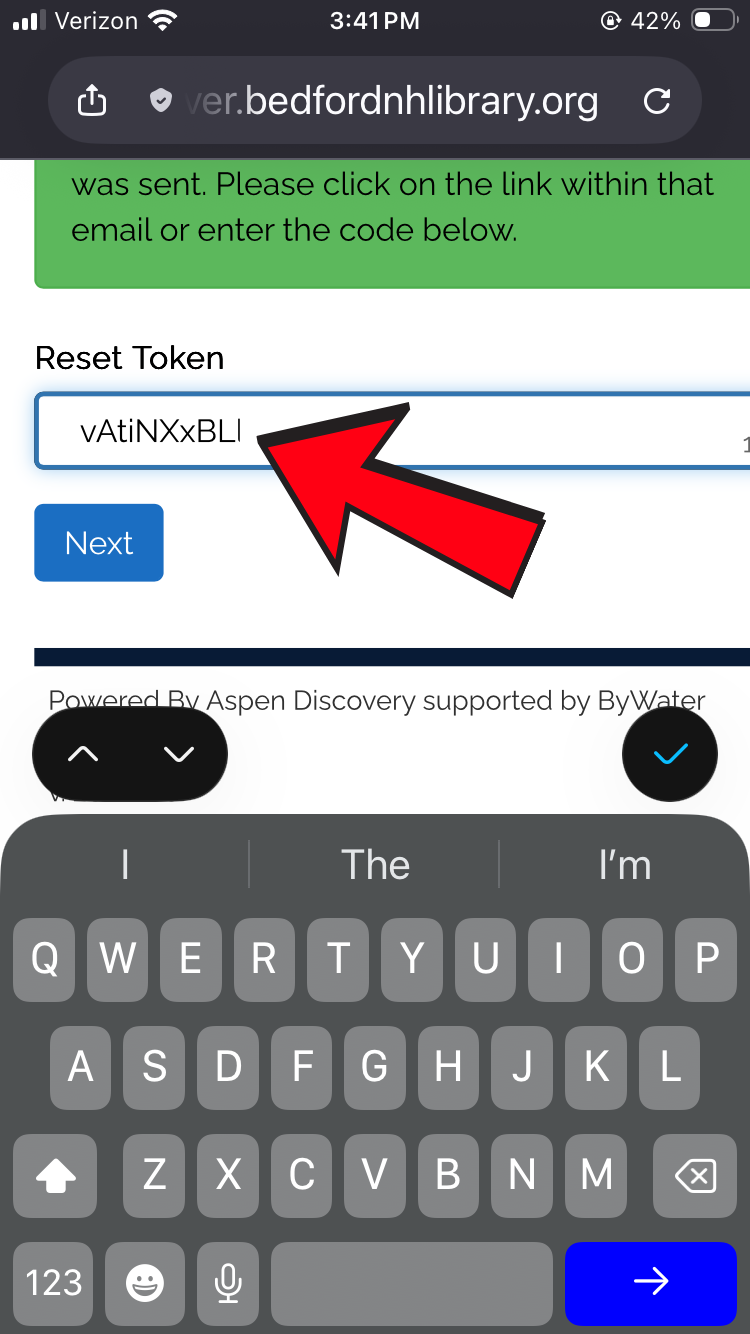
Back in the online catalog, paste or enter the Reset Token, then hit the blue "Next" button.
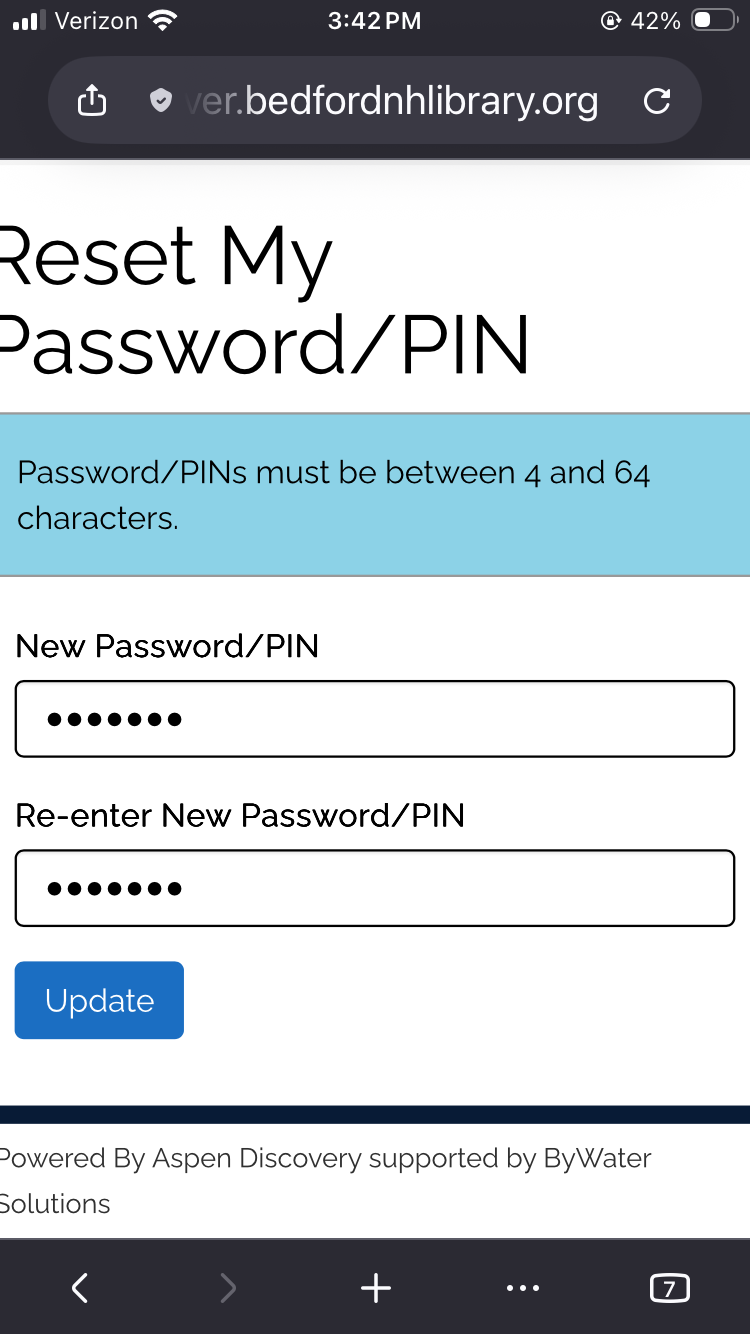
Choose a new password or PIN. Passwords and PINs must be at least 4 characters. They are case sensitive and can contain numbers, letters, and/or special characters. You will need to enter your password or PIN identically twice to proceed. Hit the "Update" button when you are ready.
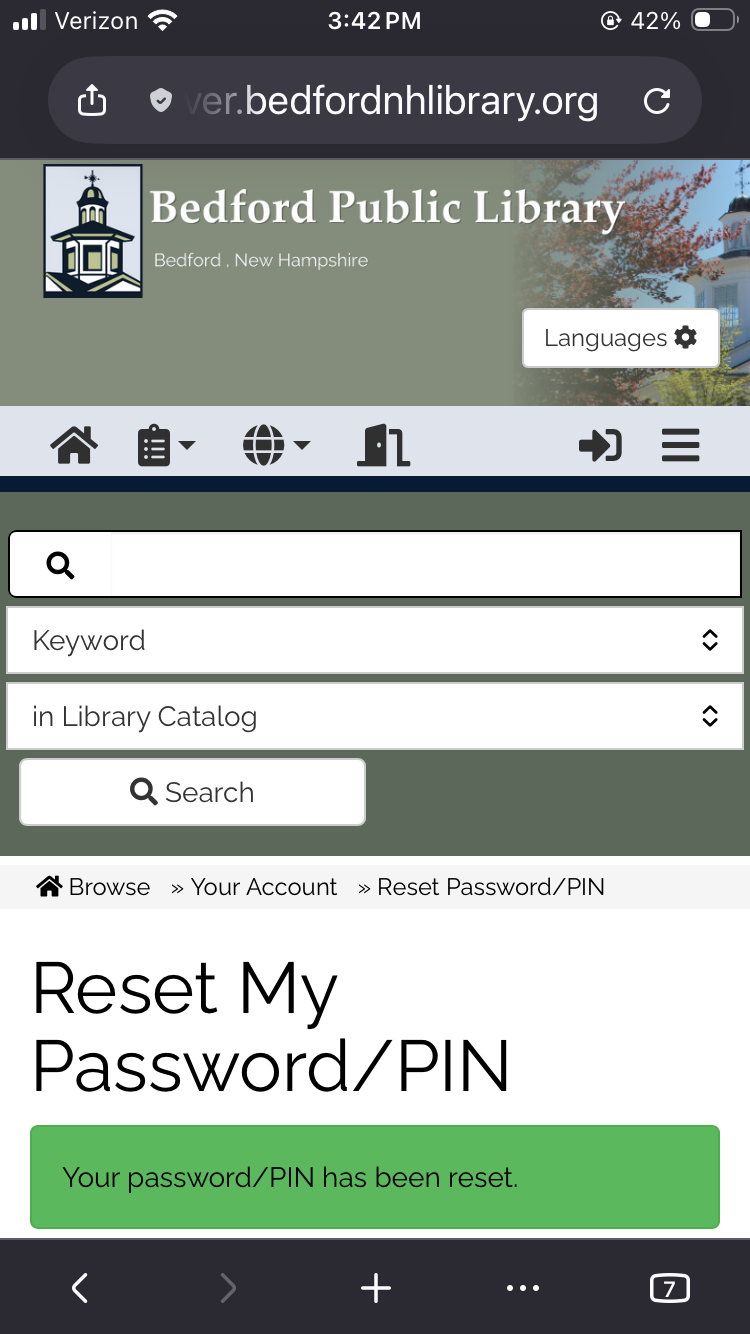
Congratulations! You have successfully reset your password or PIN. You may now use it in combination with your library card barcode to log in through Libby, CloudLibrary, and discover.BedfordNHLibrary.org!
If you have any trouble resetting your Password or PIN, please visit the Bedford Public Library, call (603) 472-2300, or email reference@bedfordnh.gov and a staff member will be happy to assist you.